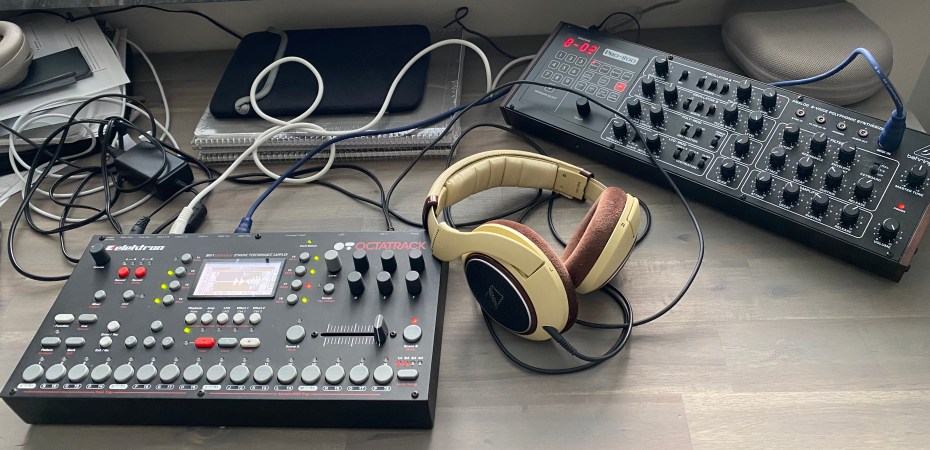
Where our intrepid adventurer probes the depths of the perhaps most eye-catching feature of the Octatrack: The Crossfader.
Hierarchy of … Stuff
Understanding the data hierarchy of any electronic instrument is always daunting, especially as every manufacturer seems to insist on inventing their own terminology for things. So, the top level is not a project, it’s a set. And the set is also where you have your samples – but don’t draw too many conclusions yet, because the project can also host samples through a magic maneuver described as collecting samples in the manual. The naive approach I’m taking currently is to have a giant set acting as an umbrella for all my song ideas (projects) so I don’t have to worry over where my samples are, a strategy that is indeed suggested in the manual as well.
I think the somewhat confusing relationship between Sets, Projects, Patterns, Tracks, Scenes and Parts is one of the things that trip up new users, but it’s really not that bad. Once you crack the code, you can choose what to use for your specific needs and if you start by working from a single Set when you learn the machine, you already removed some of the complexity.
Then there’s trigs, locks and trigless locks. Oh, and unlocked trigless locks. How can something be both locked and unlocked, you ask? Well, I’m still wondering. I’ll let you in on the secret once I find out. It was at this point I realized that the CTRL-ALL machines from the MachineDrum UW was there in my past just to warm me up for this experience.
Parts, Patterns and Scenes
Patterns are obviously used for different … hm, parts, of your song like intro, verse, buildup etc. Scenes and Parts house minor and major variations of your pattern setup so a good rule of thumb seems to be to use Scenes for transitions and variations and Parts for more radical change. If you are familiar with parameter locks (as you should be when in Elektron land), Scenes offer a way to crossfade between parameter locks which is extraordinary for transitions and variations of a single pattern. Parts on the other hand offer the ability to swap out FX and samples, and each Part can contain 16 new Scenes.
No, I haven’t used Parts yet. I suspect I will, some time in the future.
Crossfader Concourse
I would argue that Scenes is one of the unique features of the Octatrack that makes it a powerful tool for sculpting (and indeed performing) dynamic, living music tracks, and the crossfader is where all the important roads of making music with the Octatrack meet. While the crossfader can only move between two Scenes, deciding which Scene is coupled to a crossfaders’ endpoint is as simple as holding the “A” or “B” button while pressing one of the 16 scene buttons. Similarly, you program parameter changes by holding either button and twisting knobs, much as you would a parameter lock (or “p-lock” for short).
This tripped me up a bit in the beginning – you’re not supposed to be in a specific “scene mode” and hold one of the 16 buttons, you hold the A or B button and whichever scene is currently assigned to it will hold the parameter locks.
Mastering Scenes, once I got the hang of it, felt like it took me to the next level of Octa Mastery. It opens the door to 16 variations of you pattern, that you can seamlessly move between. You just have to decide on a system that works for you, and potentially label your scenes with a strip of white tape and some keywords to remember what they do.
There are plenty of tutorials and ideas on this from various Youtube creators, but I’ll list a few here as a starting point:
- Map Scenes 1-8 as intended for the A position and 9-16 for B. This makes it easy to always create seamless transitions from A to B and vice versa by remembering to switch the Scene opposite to the current fader position to a Scene number one higher or lower to the current assignment, while making it easy to remember which Scenes belong to which side of the crossfader. I currently experiment with this type of setup.
- Use 1-8 (“left side”) as variations or transitions, and use 9-16 (“right side”) as fill or break variations. It can also be viewed as a “chaos” or “tension” side versus a “relief” or “transition” side.
- Tune the pitch of the samples to different notes in key per Scene (and mark them accordingly with labels)
- Fade in and out elements of the pattern (“more or less jangly” for instance) using the XVOL parameter (only visible when holding the A or B Scene button)
- Of course you can switch between Scenes instantly simply by changing the allocated Scene for the current fader position (A or B)! This makes rhythmic remixing of your pattern possible, for instance.
Crossfader Conundrum
Well, I just touched upon a few of the things I’ve learned so far. I found the best way to explore this instrument is to switch between reading the manual, watching tutorials, and playing around, switching over when you get stuck or tired of one thing.
Suddenly, my Scenes stopped working. For some reason the crossfader wouldn’t do anything anymore, and no amount of tweaking, head scratching, or rebooting the Octatrack would remedy the situation. Finally, I resorted to googling the problem, and from the depths of a worrying number of threads on the topic of “My Octatrack is broken” I learned that you can mute Scenes – something I had apparently done by mistake during my last session of Scene switching. At first I was dumbfounded – why would you even want to mute Scenes? But I later realized that it is a way to quickly return to the original pattern configuration if you use the B position (and mute A) to scramble your pattern in various ways.
Happy accidents, as they say.
Stay tuned as I explore further, the bets are on! One of my friends sold his after two weeks, and another one is (somewhat angrily) on his third, yet to master it. Will I succeed where they have stumbled?
 The Introvert