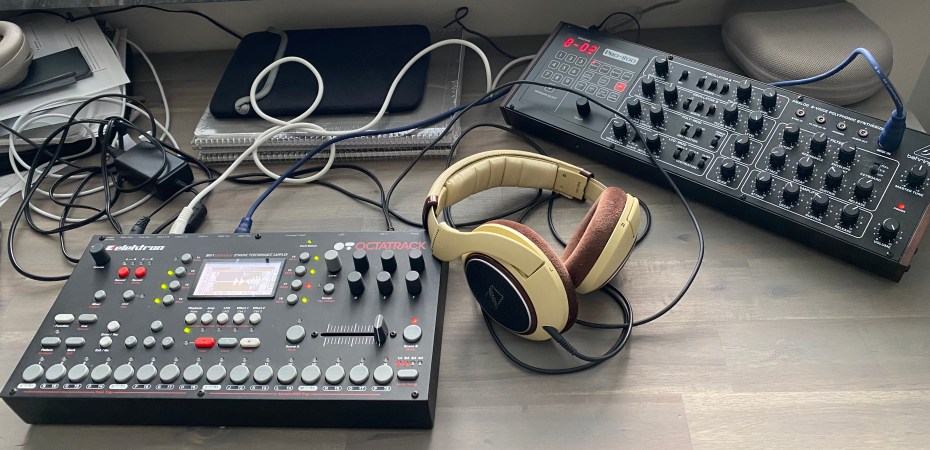
Ten years after the rest of the world, the author tries his hand at learning perhaps the most confusing, yet rewarding, music machine: The Elektron Octatrack. What happens next?
Resampling Revisited
I discovered resampling through the ahead-of-its-time-but-ultimately-flawed-by-horrible-bugs-and-company-mismanagement Ensoniq ASR-X. In a time just prior to affordable computerized DAW’s, the ASR-X provided a quick way to experiment with resampling music phrases and effected sounds over and over again, effectively opening a creative door in my mind at the time.
The Octatrack does resampling just right. It’s dead easy to record anything, included its own outputs into one of its recording buffers, and just as simple to synchronize it to sample a perfect loop of up to 16 bars for further mangling. Of course, you can synchronize any external gear as well, and there’s endless fun to be had with sampling sound textures and chords, only to chop them up rhythmically to program new grooves from the source material.
Once you learn how to set up recording, the process is fast. This is one instance where the mk2 outperforms the mk1 slightly, by providing a dedicated button for the third recording page which on the mk1 hides sneakily behind the slightly awkward Track+MIDI combo, yet is required in order to start resampling – UNLESS you do it via recording triggers – see below!
In case you are wondering, and you should, “SRC3” will be your “third recording source”, i.e. the internal sound – either from your outputs or one of the tracks. So if you are not sampling from external sources, set them to blank and enable SRC3 on Rec Setup Page 1 (leftmost red button)
Baffling Buffers
We touched upon it before, but the whole paradigm of recording buffers and how they are setup on the Octatrack seems to be perhaps the thing causing most confusion and aggravation with the community. In all honesty, it’s all in the manual, but it is perhaps not described in the most elegant manner, and you basically have to wrap your head around the quirks and foibles of the recording user interface to unlock the digital heart of this wonderful machine. You can find all kinds of discussions online where frustrated users try to make sense of the recording buffers. It’s a source of amusement if you’re not a fan, bewilderment if you are. Perhaps this was intentional by Elektron, to create an aura of magic around the machine itself, and give power users a touch of wizardry? Who knows!
Don’t forget to set the length of your buffer (in steps) if you want to use synchronized sampling. Do you set it to loop or not? I always forget. What about the fade in/out parameters? No consensus seems to exist on this one, but the general recommendation seems to nudge them to their minimal values, just to be on the safe side. And, once you managed to sample something, don’t forget to save your recording buffer or it will be forever lost should you choose to record something else!
Recording buffers are temporary, until you save them. Then they become samples in their own right. Tracks are not samples, but usually contain them. And yes, it is confusing that recording buffers are tied to tracks, but it also makes sense. Somehow.
And, don’t get me started on the one-time recording triggers…
Thwarting Triggers
If there’s one thing I never get right, it’s the one-time trigs. As was introduced with the MachineDrum UW back in the day, you had to add a trigger to your pattern to record stuff, which makes sense logically when you think (too much) about it, but no sense at all when you are in front of the machine, having forgotten for the umpteenth time how to enable sampling.
Of course, it’s the same with the Octatrack. You have to add a trig to your pattern to start sampling (do it on the first step unless you want to be Steve Reich) but you also have to stop recording, or swiftly remove the step when the pattern loops around, or you will overwrite your previous recording. This is where the one-time trigs come into play.
You see, any trig can be converted into an only-trig-the-first-time-around-trig by holding Function and pressing an existing trig, which should make it yellow to signify its new status. Finally, to enable recording, you have to arm the track, which is usually done by pressing the corresponding TRACK key and YES at the same time.
I don’t know why, but this seems to have a mind of its own. Even though I think I set things up properly, it sometimes works, other times not. Often, the recording will restart once the pattern loops, even though I have the one-time trig set. Or did I set it? I better set it again, just to be sure. And also, perhaps this time, I should be in the Recording Setup page, with the animation of the tape reels, to make it work. Or is that just magic thinking?
I don’t know. This is one the last things I still haven’t figured out. Perhaps there’s code in the machine that resets the one-time trig every fifth time I use it, just to mock me. Or, more likely, I still do something wrong.
It doesn’t matter. It’s slightly aggravating, but the whole process is so creative and fun, that I almost forgive the stochastic behavior of the one-time trigs. At least, the entire machine doesn’t suddenly freeze while frying my ears with a high pitched digital squeal at full blast, as my “beloved” ASR-X was prone to do unexpectedly.
Progress!
 The Introvert